



For Vlad · AA Design Group

The best option for you

Move your website onto my platform and build your ads system right into it. It does what Webflow can't, and I'll host it and look after it for you for less than Webflow's monthly.

My platformWebflow
Ad trackingRemembers the ad behind each client for weeksOn your clients' iPhones, forgets it within 1 to 7 days
LeadsLead list, automatic follow-ups, and won jobs sent back to Google and FacebookA form inbox; the rest needs outside services
SecurityBuilt to A+C- on your plan; the A+ settings are Enterprise only
Sign-insOne, for your site, leads and numbersOne per tool
Monthly$30, everything includedAbout $40 for the site; about $64 to $76 with the tracking service and analytics this system needs

Getting all of this hooked up to Webflow and working right would take more effort than building it on my platform. It's wiring into the panel versus running extension cords.

Webflow with add-ons: extension cords

Like running cords from the garage to power a new kitchen. It works on day one, but every appliance needs its own cord, any of them can come loose, and when something trips, you're tracing cords through the house.

My platform: wired into the panel

Like wiring that kitchen into the panel. Everything runs on proper circuits from one place, and adding something new means adding a breaker, not another cord.

Here's everything you get
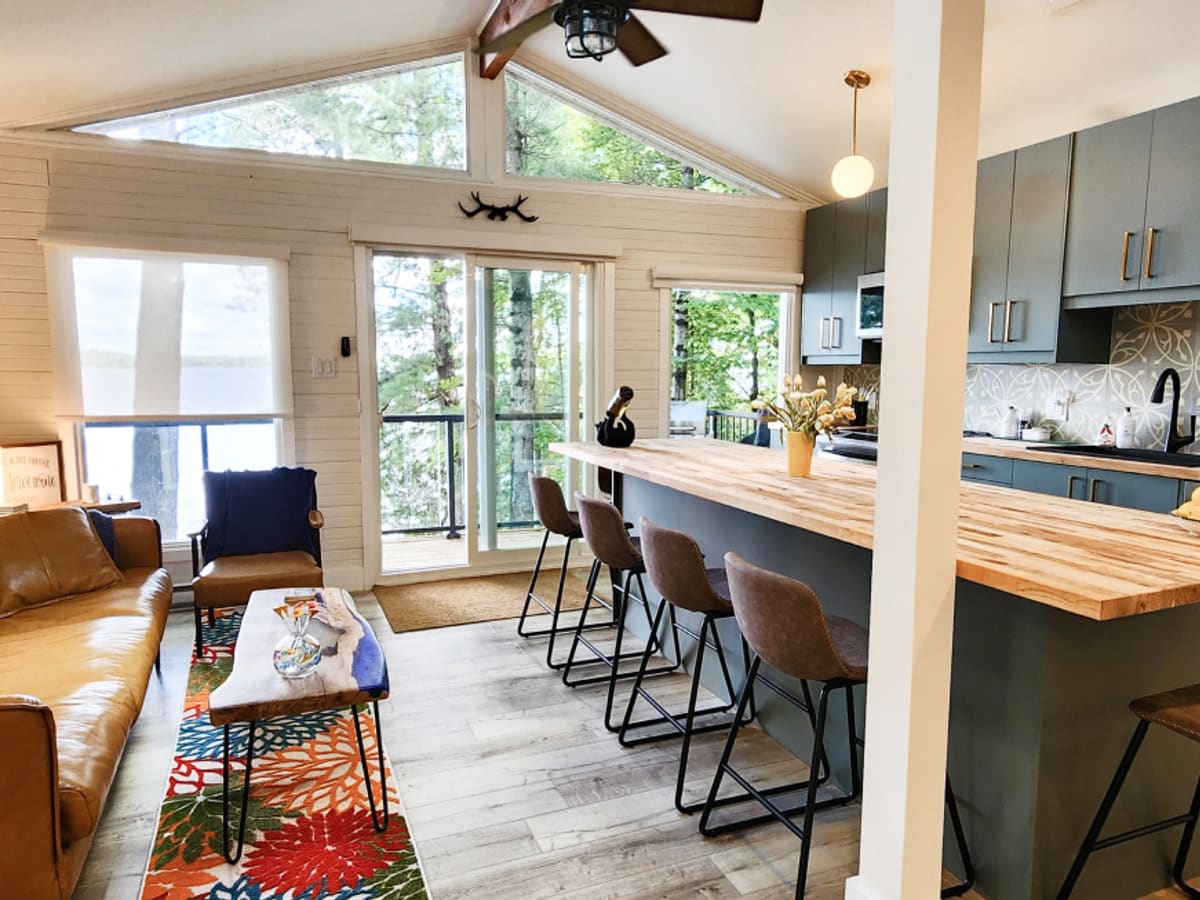
Sand Lake
Sand Lake
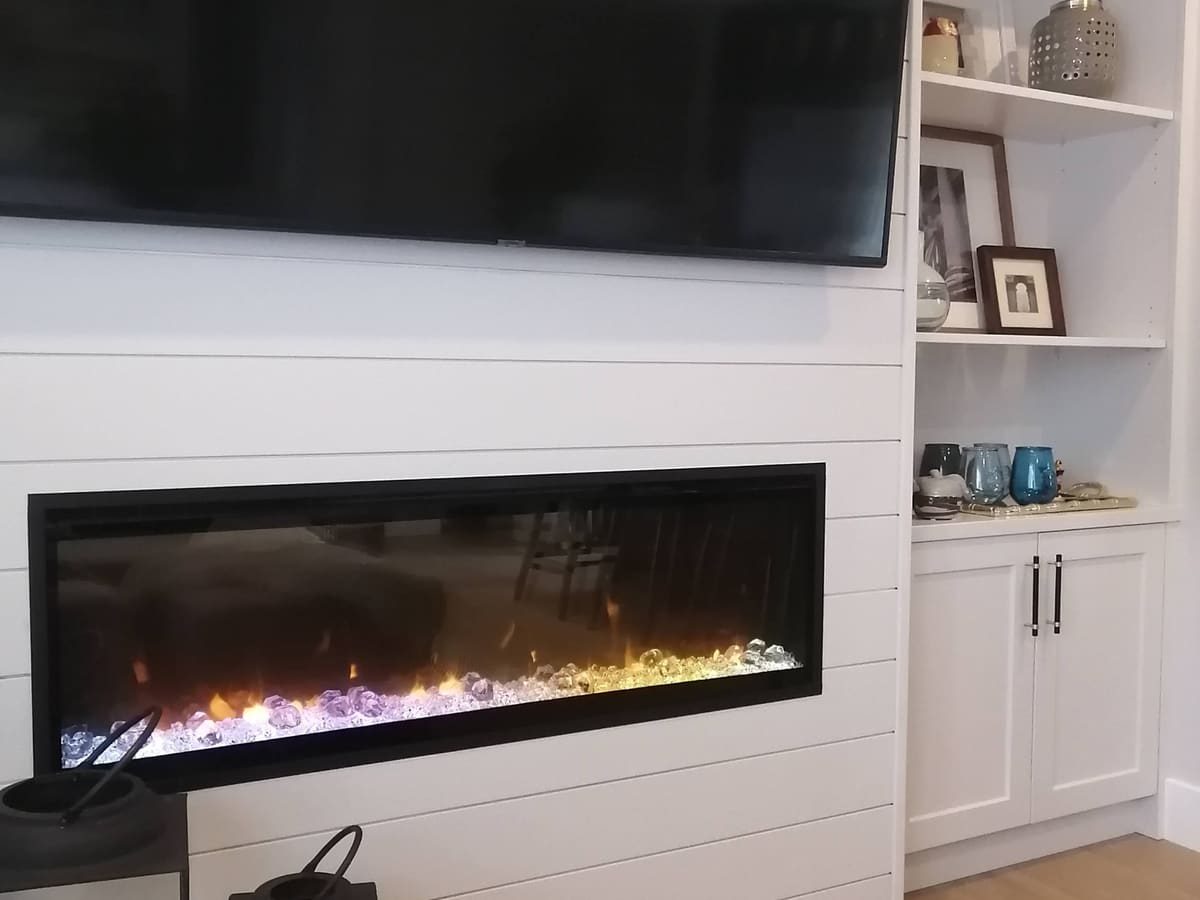
Rochelle
Rochelle
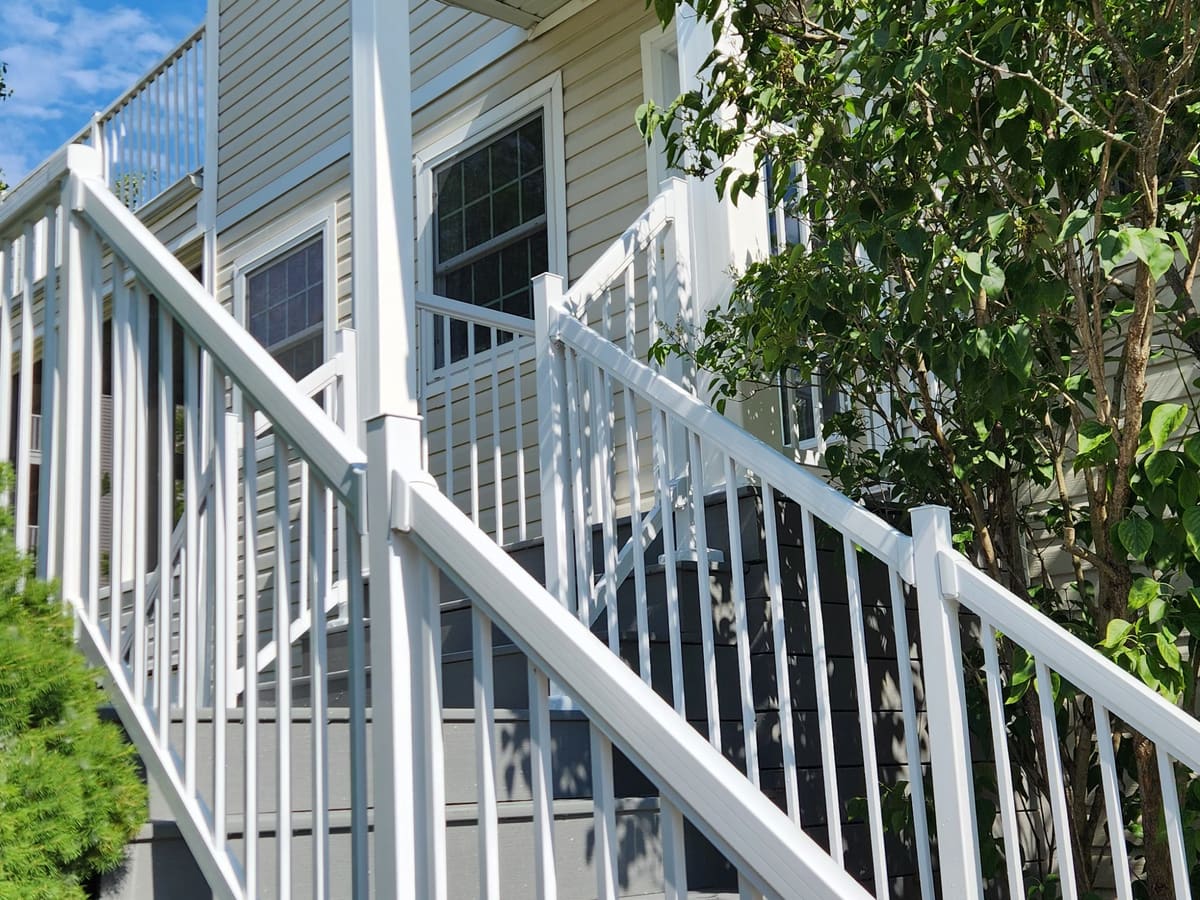
Easterbrook
Easterbrook
Beacon Hill
Beacon Hill
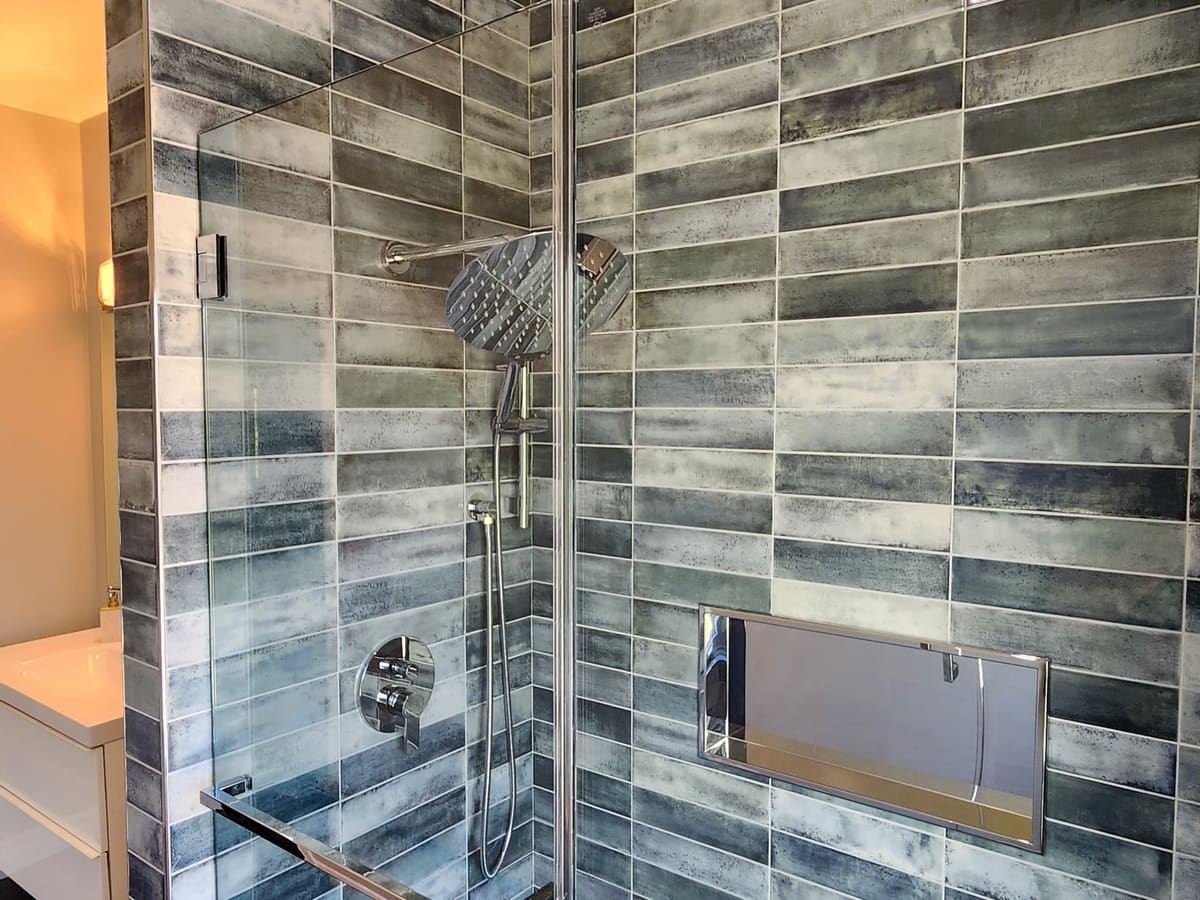
Niagara Parkway
Niagara Parkway
Dunblane
Dunblane
Rainbow
Rainbow

What you'll see every day

Your numbers, on one page

Your ad spend, your leads and the jobs they turned into, in one place. Here's a working sample. Sample numbers, not a forecast

Ad spend
Leads
Cost per lead
Jobs won
Cost per job won
Revenue won

By campaign

Spend Revenue won

From visit to job

The foundation

Your whole site runs on its own server

Your website gets its own engine behind the scenes. It tracks your ads, handles the quote form, sends the follow-ups, keeps things secure and connects to your other tools, and your pages still load instantly.

Your adsIt remembers which ad brought each client, for the weeks people take to decide.

Your clients' iPhones wipe what a page's scripts save after seven days, and after one day when the visitor came from an ad. Ad blockers stop them outright. Your server keeps it. It's the setup Meta recommends, and in Meta's own tests it cut the cost per result by 13% on average.

On Webflow: Pages can't run server code, so tracking runs in the browser and gets cut short. Adding it means a separate tracking service (about US$200 a year) and extra setup.

SecurityYour keys and your clients' details stay on the server.

The browser is a place you don't control; the server is. Fewer outside scripts in the page means less that can read your form. Access keys for Google and Facebook never reach the browser, and contact details are scrambled before they're sent. Mozilla grades your site C- today. I build to A+.

On Webflow: These security settings are only on Webflow's Enterprise plans, so your site stays at C-.

FlexibilityAnything you use can connect to it.

Google Workspace, Gemini, accounting, text messages or a custom system for your crews: each is a connection on the same server and database, not a plugin you hope exists.

On Webflow: Connections come from its app marketplace or an outside service like Zapier, each set up and billed on its own.

One sign-inYour site, your leads and your numbers in one place.

Edit the site, check leads and see your results behind one sign-in. You keep full access to Google Ads, Analytics and Facebook; you just don't need them day to day.

On Webflow: The site is in Webflow, leads sit in its form inbox, and your numbers are spread across Google Ads, Analytics and Facebook, each with its own login.

Looked afterI host it and look after it for you.

Updates, monitoring, backups, and more capacity as you add automations. Your domain, ad accounts and clients' information stay yours.

On Webflow: Webflow looks after the pages; every service added around them is another account to keep running.

Why your ads need a memory

Weeks to decide, a day to forget

People take weeks to decide on a renovation. When someone clicks your ad, your site saves a small note of which ad brought them, so Google and Facebook can learn what's working. On your clients' iPhones, a site that only tracks in the browser loses that note after one day if they came from an ad, or after seven if they typed your address.

Day 0Day 3Day 7Day 10Day 14Day 18Day 21
Clicks your adComes back to look at bathroomsAsks for a quote
Browser only (Webflow, on a client's iPhone)
The note is gone after 1 day. Their quote on day 18 isn't linked to your ad.
Your server
The note is still there. The quote is credited to the ad that found them.

Without the note, Google and Facebook think your ad brought nothing, so they keep spending your budget on the wrong people. With it, every quote teaches them who your clients are.

Everything you get

Your marketing, measured and followed up

You'll see which ads bring in jobs and what each job cost, how people use your site and where they drop off, and every lead gets followed up without you lifting a finger.

Spend$900
Leads10
Won2
Revenue$50k

Ads to jobs, on one pageWhat you spent, the leads it brought, and the jobs and revenue they became.

Spend comes from Google Ads and Facebook, visits from Google Analytics, and leads, quotes and won jobs from your lead list. It updates itself daily and shows cost per lead, cost per won job and the return on every ad dollar.

On Webflow: Form entries sit in Webflow's inbox with no status or job value, so this needs a separate lead tracker and a dashboard tool. Webflow's analytics add-on shows visits and clicks, not ad spend or jobs.
Kitchen · St. CatharinesGoogle ad · Kitchens

Bathroom · Fort ErieFacebook · Follow-up

Basement · WellandGoogle search

Where every lead came fromEach lead shows the ad, search or page that brought it.

The server attaches the source to every lead: the campaign and ad, a Google search, your Google profile, Facebook or a referral, so you see which channels bring the bigger jobs.

On Webflow: The source is saved by browser scripts, so on iPhones it's often gone within a day to a week, before the client asks for a quote.

Illustration
See how people use your siteHeatmaps and recordings show where visitors click, scroll and give up.

Microsoft Clarity records visits with anything typed into the form hidden, and draws click and scroll heatmaps for every page. It's free.

Step 2 of 6What are you renovating?

KitchenBathroomBasementWhole home

A quote form people finishOne easy question per screen, photos included, and a report of where people stop.

Your current form puts eleven questions on one page. The new one asks them one at a time with big buttons, takes photos, and blocks bots without puzzles. Every step is recorded, so if people leave at the budget question, you'll know.

On Webflow: There's no built-in step-by-step form, so it takes custom code or an outside form tool. Outside forms usually load from another website, which breaks the link between the lead and the ad.

Sponsored

Still planning your bathroom? See the Niagara Parkway shower.

Ads that follow up for youPeople who looked at your work see it again within a day or two.

Visitors are grouped by what they looked at: bathrooms, kitchens, basements, the gallery or the quote form. Each group sees matching ads on Google and Facebook.

On Webflow: The same ads can run, but the groups are built from browser data only, so they shrink as iPhones and ad blockers drop visitors.

Thanks, we've got your request

We aim to respond within one business day. Here's what happens next.

View your request
Every lead followed upAn instant reply to every client, an alert to you, and follow-ups until you're in touch.

The client gets an email with your logo confirming their request. You get an alert with their photos, and a reminder if a lead hasn't been contacted. A friendly follow-up goes out a few days later and stops once you're in touch.

On Webflow: Its forms email you a notification. A branded reply, reminders and follow-ups need an outside email or automation service.

Kitchen · St. CatharinesWon · $32,000

Bathroom · Fort ErieQuoted

Basement · WellandNew

Your lead listEvery lead in one list. Mark a job won, and Google and Facebook learn from it.

Each lead has the client's details, photos, the ad that brought them and a status: new, contacted, quoted, booked, won or lost. Marking a job won, with its value, teaches the ad platforms to find more clients like it.

On Webflow: Entries sit in the form inbox with no status or value, and nothing reports won jobs back to Google and Facebook.

Security gradeC-A+

Phone menuHides Gallery and ContactFixed

Booking noticeBooked until Sept 2023Current

Form start yearStops at 2025Always current

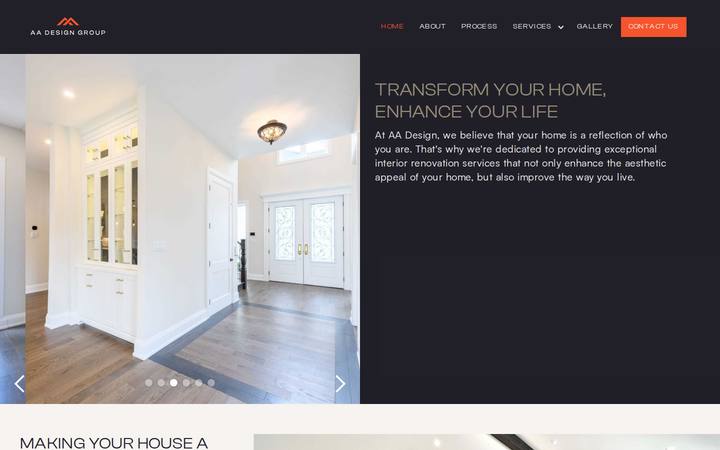
The website itselfYour current look, sharper and faster, with every glitch fixed.

The phone menu that covers Gallery and Contact, the 2023 booking notice and the old years in the form, all fixed. Your seven showcase jobs moved over as they are. Search setup for your services and towns (a Google Lighthouse SEO score above 80), A+ security, a privacy policy, and click-to-edit for every word and photo.

On Webflow: The fixes and search setup can be done there too, but the security settings for an A+ are only on Webflow's Enterprise plans.

Managing your site

Change your site in seconds

Click any word or photo on your live page, change it and hit Save. There's no separate app to learn. This is my editor on another client's site, Construction Bookkeeping Co., recorded this week.

  1. Change the badge to "Booking for January".
  2. Swap the photo from her own library.
  3. Save. The site updates in a few minutes.

On Webflow: you edit inside Webflow's own app, then publish from there.

Room to grow

New tools plug straight in

Because your site has its own server and database, these can be added whenever you're ready:

  • Your showcase jobs, filterable by room, style and colour
  • Automatic Google review requests after a job
  • A lead sheet in Google Workspace your Gemini assistant can answer questions about
  • Progress updates for clients and scheduling for your crews

Price

A website, two systems and a custom dashboard

Website$849
Ads tracking system$1,100
Lead and follow-up system$1,100
Custom dashboard, connecting Google Ads, Facebook and Instagram ads, Google Analytics and your lead list$600
Value$3,649
Billed as my Website + Custom Software package$1,949
Friends discount−$500
Total$1,449 + HST

$30 a month, everything included. Webflow is about $40 today for the site alone. Running this system around it adds a tracking service (about $24 a month) and click analytics (about $13), so about $64 to $76.

I build, host and look after your website and system on my platform. Your domain, ad accounts and clients' information stay yours.

Next steps

Ready when you are

  1. Webflow access, so I can bring over your showcase jobs and see your form history.
  2. Access to Google Ads, Google Analytics and your Facebook business account, or just the email each is under.
  3. The towns and jobs you want most, and roughly what you'd like to spend on ads each month.

You might have noticed this page looks a lot like your website: your logo, your fonts and your colours, with a few upgrades. Sharper type and spacing, a layout built for phones first, a menu that stays out of the way, details you open only when you want them, and no builder scripts slowing it down. That's the look your new site starts from, plus your feedback, and this page is already built with it.